




Creating an account at Tipsport is a structured process shaped by gambling laws and standard online account practices. The flow includes quick online registration, identity verification required by regulation, and secure login options across devices. Tipsport combines a simple sign-up form with mandatory checks such as Bank ID or in-person verification, which are typical for licensed operators. Once registered, access to betting, deposits, and withdrawals becomes available after completing verification and setting responsible gaming limits.
How to Register at Tipsport Account
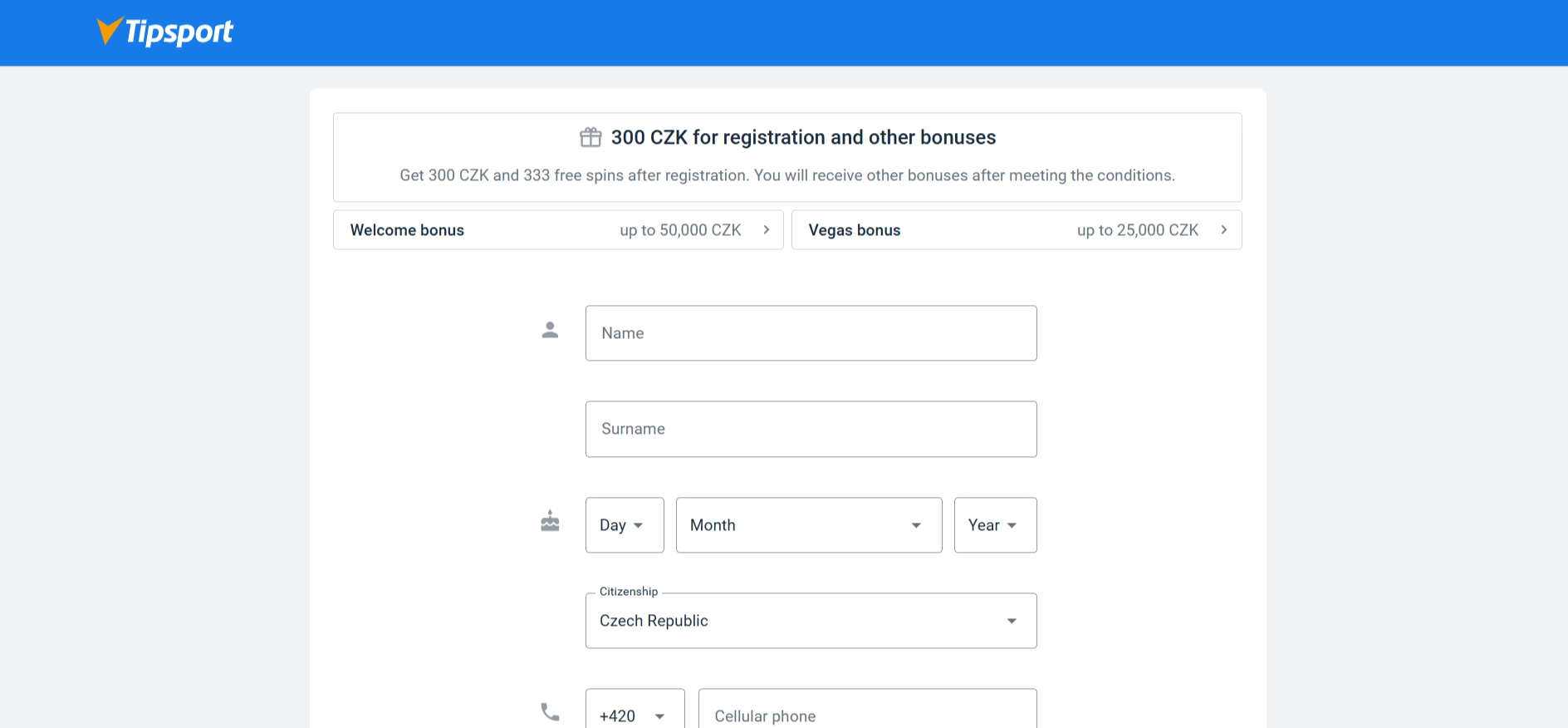
The registration process at Tipsport is built to be quick at the start, while still complying with legal requirements. When opening an account, you get access to a standard form that collects basic personal information. Tipsport keeps the initial step simple, but it is only the first stage before full activation.
During registration at Tipsport, the process typically includes the following elements:
- Entering personal data such as name, surname, and date of birth
- Providing contact details including email and phone number
- Creating login credentials for the Tipsport account
- Accepting terms, conditions, and legal confirmations
- Optionally entering a bonus or promo code
After submitting the form, Tipsport sends an activation email and temporary login details via SMS. This activation step is standard and connects the account to a verified contact channel. At this stage, the account is created but still limited until identity verification is completed. Tipsport keeps this separation clear so that registration remains fast while compliance is handled separately.
How to Verify Tipsport Account Identity
Verification at Tipsport is a required step under gambling regulations, and it directly affects what actions become available in the account. Without completing verification, access to withdrawals and full betting functionality remains restricted.
Tipsport provides two main verification methods commonly used on the market:
- Bank ID verification through supported banks
- In-person identity confirmation at a Tipsport branch
Bank ID is widely used, making online verification fast and convenient. When using this method, Tipsport connects the account with bank-confirmed identity data. For those who prefer offline verification, visiting a branch remains an alternative.
During verification at Tipsport, additional steps may include:
- Confirmation of identity and age (18+)
- Check against the excluded persons registry
- Setting mandatory responsible gaming limits
Tipsport requires these checks to comply with laws and player protection standards. Once verification is complete, the account becomes fully active, and deposit and withdrawal limits are unlocked without temporary restrictions.
How to Login to Tipsport Account
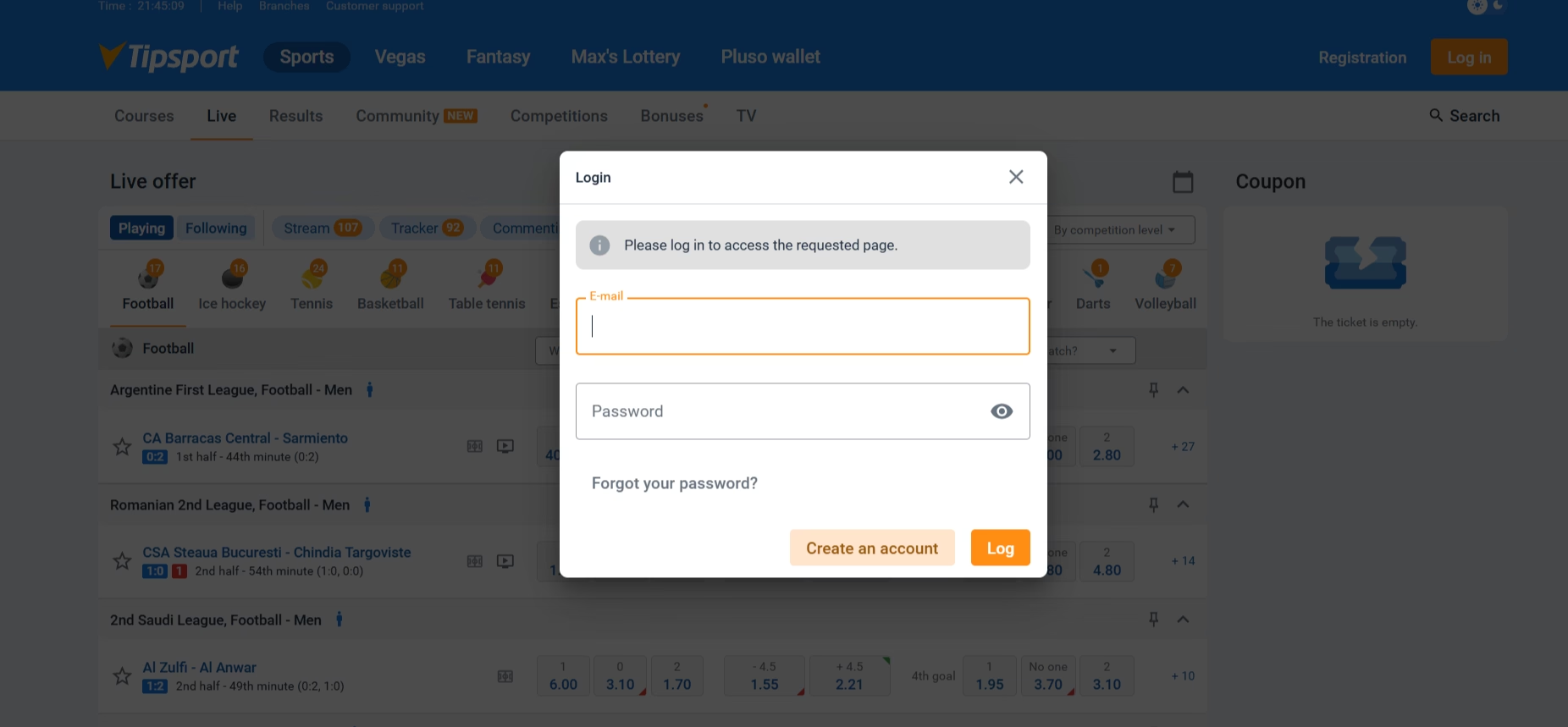
Logging into Tipsport is a straightforward process that works consistently across desktop and mobile platforms. Once registration and verification are complete, access to the account becomes immediate and stable.
The standard login at Tipsport includes entering:
- Registered email address
- Account password
After entering these details, the system grants access to betting markets, account settings, and financial tools. Tipsport maintains a simple login structure without unnecessary steps, which keeps the experience familiar.
In some cases, Tipsport may require additional confirmation if unusual activity is detected. This can include email or SMS verification, which is part of standard security practices. The login process remains quick in normal conditions, and most sessions open without interruption once credentials are saved or recognized.
Tipsport Login Methods Across Devices
Tipsport supports multiple login methods that adapt to different devices and preferences. Mobile usage is high, so the platform focuses heavily on smooth access via smartphones.
The available login methods at Tipsport include:
- Standard login via website using email and password
- Mobile browser login with the same credentials
- Official mobile app login for Android and iOS devices
- Biometric login such as fingerprint or Face ID (if enabled on device)
Mobile app access is particularly common, where users prefer quick entry without repeatedly typing credentials. Tipsport allows saving login details securely, which reduces friction during daily use.
Biometric login adds another layer of convenience. Once activated, Tipsport lets users access their account using device-based authentication instead of manual password entry. This reflects common mobile security habits and improves overall usability.
Common Tipsport Login Problems Explained
Even though the login process at Tipsport is stable, some common issues may appear, especially during the first sessions or after changes in account data. Most problems are related to incorrect credentials or incomplete account setup.
Typical login issues at Tipsport include:
- Incorrect email or password entered during login
- Account not fully verified after registration
- Expired or inactive session requiring re-login
- Forgotten password requiring reset via email
- Temporary security block after multiple failed attempts
If the password is forgotten, Tipsport provides a standard recovery option through email verification. This process is quick and restores access within minutes.
Another common situation involves incomplete verification. If identity checks are not finished, Tipsport may restrict certain actions, which can feel like a login issue but is actually a compliance limitation. Once verification is completed, access returns to normal without further complications.
Frequently Asked Questions
 How long does Tipsport registration take?
The initial registration at Tipsport usually takes only a few minutes. The process becomes longer only if identity verification is delayed, especially when not using Bank ID.
Is verification required before login?
Login at Tipsport is possible without full verification, but the account remains limited. Verification is required to unlock deposits, withdrawals, and full betting access.
Can Tipsport login be done on mobile devices?
Yes, Tipsport supports login via mobile browsers and official apps. Many users prefer the mobile app due to faster access and biometric login options.
What to do if Tipsport login details are lost?
If login credentials are lost, Tipsport provides a password recovery option via email. The reset process is standard and usually restores account access quickly.
