




The Tipsport mobile app gives full access to sports betting, live streams, and casino content directly from a smartphone. Tipsport has built a strong mobile ecosystem where betting, watching matches, and managing an account happen in one place. The app supports both Android and iOS devices and mirrors most of the desktop functionality, including live betting, Tipsport TV streaming, and casino games via Tipsport Vegas. You get a consistent interface, real-time updates, and access to local leagues and international events, which reflects how mobile betting is commonly used today.
Tipsport Mobile App for Android Devices
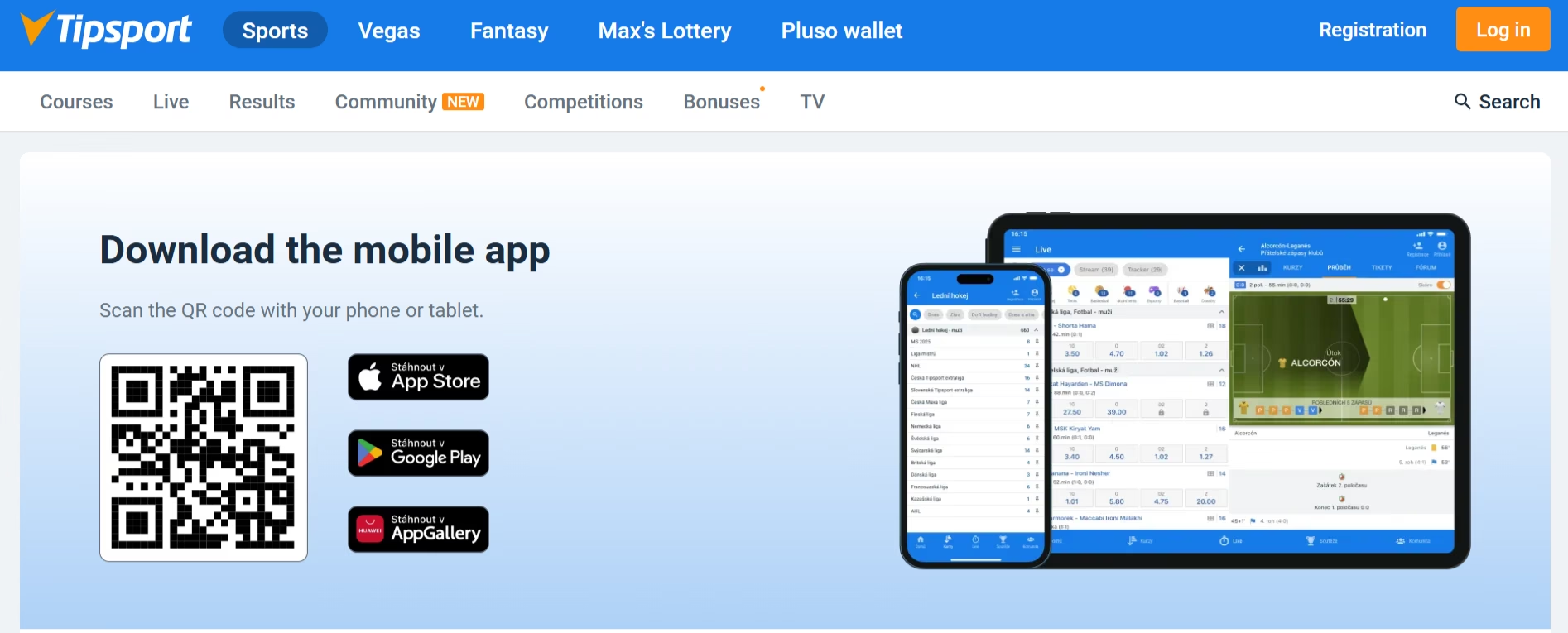
The Tipsport Android app is widely used, mainly because it offers flexible installation options and full feature access. Tipsport provides both a Google Play version and a direct APK file, which is useful in cases where store availability may vary. The Android version includes sports betting, live odds, casino games, and Tipsport TV streaming, making it a complete mobile betting solution. Where Android devices dominate, this version of Tipsport is often the primary way users interact with the platform on a daily basis.
How to Download and Install Tipsport Android App
Installing the Tipsport Android app is straightforward and gives quick access to all features available. The process typically follows familiar steps, depending on whether the app is downloaded from Google Play or via APK.
- Download from Google Play or the official Tipsport website
- For APK installation, allow apps from unknown sources in device settings
- Open the file and complete installation in a few seconds
- Log in or register directly inside the Tipsport app
APK installation is commonly used, especially when users prefer direct access to the latest Tipsport updates without waiting for store approvals. The app size is around 40 MB, so it installs quickly even on older devices.
Compatible Android Devices for Tipsport App
The Tipsport app for Android works on most modern smartphones and tablets, making it accessible to a wide audience. Compatibility depends mainly on the Android version and device performance rather than specific brands.
You can typically use Tipsport on devices that meet these conditions:
- Android 6.0 or higher (not officially confirmed for all versions but widely supported)
- Stable internet connection via WiFi or mobile data
- Sufficient storage for installation and updates
Where mid-range Android phones are common, Tipsport runs smoothly on brands like Samsung, Xiaomi, and Huawei. Performance remains stable during live betting and streaming, which is important for users following real-time sports events.
Tipsport Mobile App for iOS Devices
The Tipsport iOS app offers a similar experience to the Android version but is distributed exclusively through the App Store. iPhone users rely on this version to access betting markets, live streaming, and casino games without needing manual installation steps. Tipsport keeps the interface consistent across platforms, so switching between desktop and mobile feels natural.
How to Download and Install Tipsport iOS App
Getting the Tipsport app on iOS is simple and follows standard App Store procedures. The installation process is quick and does not require additional permissions beyond typical app access.
- Open the App Store and search for Tipsport
- Download the official app published by the operator
- Install automatically within seconds
- Sign in or create a new account
This method is preferred by iPhone users because it offers automatic updates and system-level security. Tipsport maintains regular updates, so the app stays aligned with betting features and system requirements.
Compatible iOS Devices for Tipsport App
The Tipsport iOS app is compatible with most recent Apple devices, which makes it reliable for users who prefer Apple’s ecosystem. Compatibility is typically linked to the iOS version rather than specific device models.
Supported devices generally include:
- iPhone models running iOS 12 or newer (exact minimum not always confirmed)
- iPads with similar system requirements
- Devices with stable internet access
iOS users often expect smooth performance, and Tipsport delivers stable navigation, fast loading of betting markets, and consistent streaming through Tipsport TV.
Main Features Inside Tipsport Mobile App
The Tipsport mobile app combines several core services into one interface, which is one of its strongest advantages. Instead of switching between platforms, you get betting, casino, and live streaming in a single environment. Tipsport focuses heavily on real-time interaction, which reflects how users follow sports and place bets during live events.
Key features available in the app include:
- Live betting with constantly updated odds
- Pre-match betting across sports, esports, and special events
- Tipsport TV with live streams from leagues like Bundesliga and La Liga
- Cashout options, including partial cashout
- Account management with balance tracking and betting history
- Community tools such as ticket sharing and betting discussions
Tipsport is known for its strong coverage of local sports, especially hockey and football, which are widely followed through mobile devices. The app also includes detailed match statistics and real-time updates, giving you a clear view of ongoing events.
Tipsport Mobile Website Alternative Access
The Tipsport mobile website acts as a fallback option for users who prefer not to install the app. This version is fully optimized for smartphones and provides access to most core features, including betting markets and account management. While the app offers a more stable experience, the mobile site still performs well for quick access.
You can expect the mobile website to include:
- Full sportsbook with live and pre-match betting
- Account access for deposits and withdrawals
- Basic navigation adapted for smaller screens
However, some features like push notifications or deeper integration with Tipsport TV may work better inside the app. The mobile website remains useful for temporary access or when storage space is limited.
Mobile Casino Games at Tipsport
The Tipsport mobile app includes access to Tipsport Vegas, which brings casino games directly to mobile devices. Mobile casino usage has grown alongside sports betting, and Tipsport integrates both products in a single interface. You can move between sportsbook and casino without leaving the app, which creates a more continuous experience.
Available mobile games include:
- Online slots from well-known providers
- Table games such as roulette and blackjack
- Live casino games with real dealers
Tipsport often connects casino promotions with mobile usage, including free spins or bonus offers tied to activity in Tipsport Vegas. The mobile interface adapts well to touch controls, so gameplay remains smooth even on smaller screens.
Mobile Betting Experience with Tipsport
The Tipsport mobile betting experience is built around speed and real-time updates, which are essential for users who follow live matches. The app allows quick navigation between sports, leagues, and markets, making it easy to track ongoing events. Tipsport offers a wide selection of betting types, including accumulator bets and live wagers.
Key elements of mobile betting include:
- Pre-match and live betting across hundreds of events
- Bet types such as SOLO, AKU, and COMBI
- Quick bet placement through simplified ticket interface
- Access to enhanced odds like Action Odds
Live betting is particularly popular, especially during football and hockey matches. Tipsport supports this trend with fast updates and minimal delays, which helps maintain accuracy during high-demand events.
Tipsport Mobile App Frequently Asked Questions
 Is the Tipsport mobile app free to use?
Yes, the Tipsport app is completely free to download and use. There are no installation fees, and all features are available once you log into your account.
Can Tipsport app be used outside ?
The Tipsport mobile app may have limited functionality outside certain regions due to local gambling regulations. Access often depends on location and licensing rules.
Does Tipsport app include live streaming?
Yes, the Tipsport app includes Tipsport TV, which provides live streams of selected sports events. Access usually requires recent betting activity.
Is the mobile app better than the website version?
In most cases, the Tipsport mobile app offers a more stable and complete experience compared to the mobile website. Users often prefer the app because of faster navigation and additional features like notifications.
